Pullman Zoom Phone Migration
Information Technology Services (ITS) is working to transition all WSU units from the current Cisco phone system to Zoom Phone by the end of the 2026 calendar year.
Zoom Phone replaces the Cisco phone environment by bringing phone functionality into the Zoom Workplace application, where users can make and receive calls, participate in video meetings, and share content from their computers, smartphones, tablets, and other supported devices.
Start Your Migration Planning Early
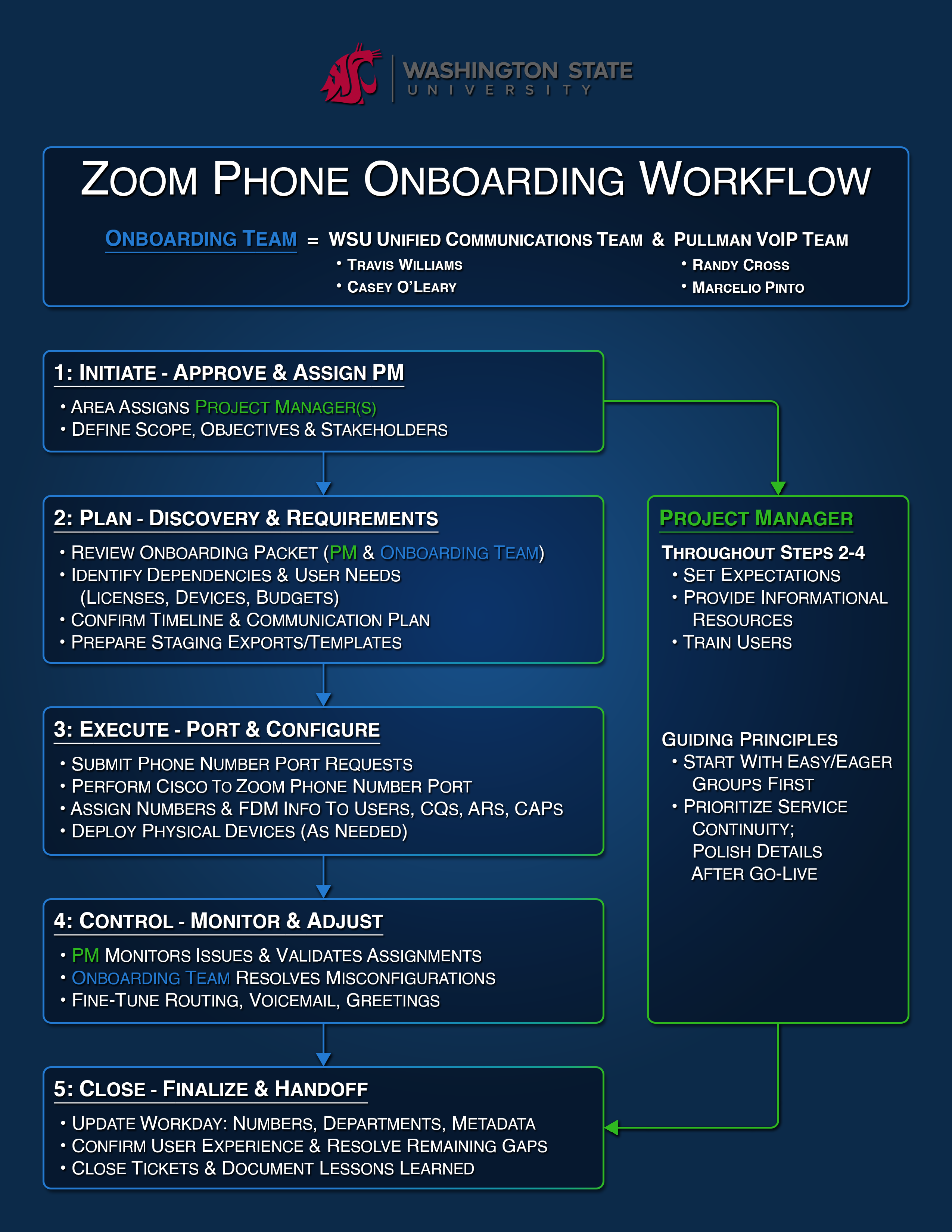
ITS is actively transitioning WSU departments from Cisco phone services to Zoom Phone, with the goal of completing all migrations before the end of the current calendar year.
Departments are encouraged to begin planning with ITS as soon as possible to allow adequate time for business process review and migration scheduling. Beginning the process early also provides time to identify and address any unexpected technical, operational, or business process considerations that may arise.
ITS will work closely with each department throughout the migration, providing the resources and support needed to ensure a successful implementation.
Physical Desk Phones
Units should evaluate their operational needs and identify any business justification for providing a physical desk phone. WSU’s standard and preferred solution is the Zoom Workplace application, which provides full softphone functionality. Physical handsets should be requested only when a documented business or operational requirement cannot be adequately met through the softphone solution.
For approved use cases requiring a physical handset, units are encouraged to select from WSU’s recommended Zoom handset options.
Each unit is responsible for determining its process for procuring handsets who have an approved business need. At this time, ITS will not purchase handsets on behalf of units.
Zoom Phone Support Resources
The following support resources provide guidance and support for WSU users as they learn to navigate Zoom Phone, utilize its features, and become familiar with the platform’s functionality:
- Zoom Phone – FAQ
- Zoom Phone – Getting Started & Glossary
- Zoom Phone – Trainings
- Zoom Phone – Managing Incoming Calls and Settings
- Zoom Phone – Dialing Instructions and General Use
Additional support resources are available through the WSU Knowledge Base and Zoom Support.