Please see the following scheduled Microsoft change:
Date: July 2025 (An exact implementation date for WSU’s Microsoft environment is unavailable.)
The following work is being completed: Microsoft is updating the Chat view in Teams to introduce a unified interface that combines chats, channels, and Teams. It will also include customizable sections, new filtering options, and an @mention view.
All affected groups: WSU Microsoft Teams users
All affected processes: Interface changes for the Chat view within Teams on Windows desktops, Mac desktops, the web, and iOS and Android devices. Expected changes are detailed below.
Duration of impact: This is a permanent, Microsoft-driven change.
Necessary follow-up steps: Microsoft will automatically transition WSU users to the unified Chat view. Following the transition, users can opt out of the new Chat experience via Teams Settings.
Questions? Please contact Crimson Service Desk at crimsonservicedesk@wsu.edu or 509-335-4357.
Upcoming Changes
Preview the new experience in the following video:
Onboarding Process
When the new experience becomes available, users will see the following prompt:
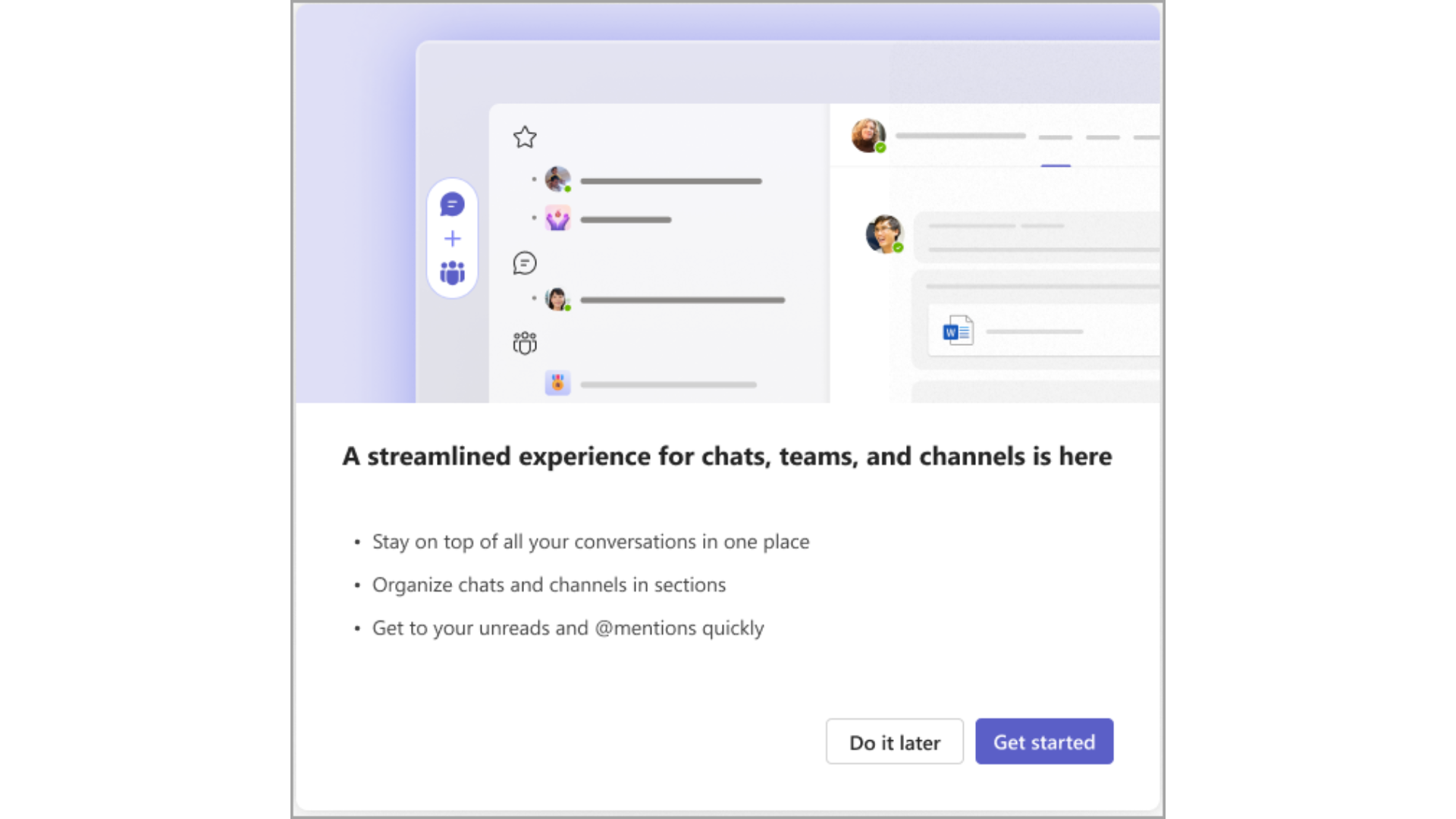
This default prompt provides a guided, self-service onboarding experience that helps users explore and configure the new Chat interface. Selecting Get Started will navigate users to the updated interface and highlight the Settings location.
The transition to the new experience may be deferred up to three times over an approximate period of three days.
Section Organization
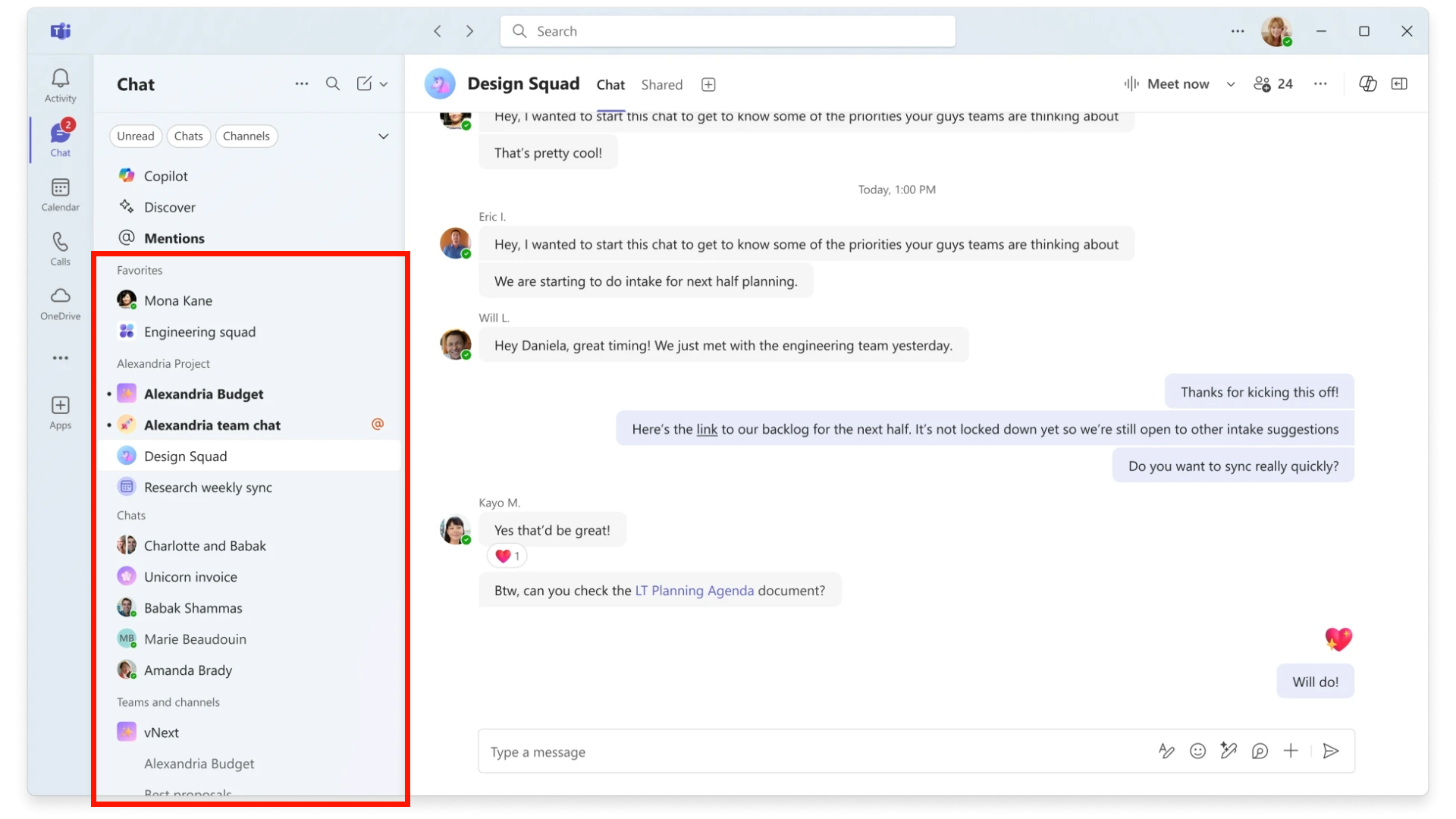
The new Chat interface will display the following sections in order:
- Favorites containing any previously pinned chats and channels
- Chats sorted by most recent
- Teams and channels organized in same order as in the current Teams view
Filters
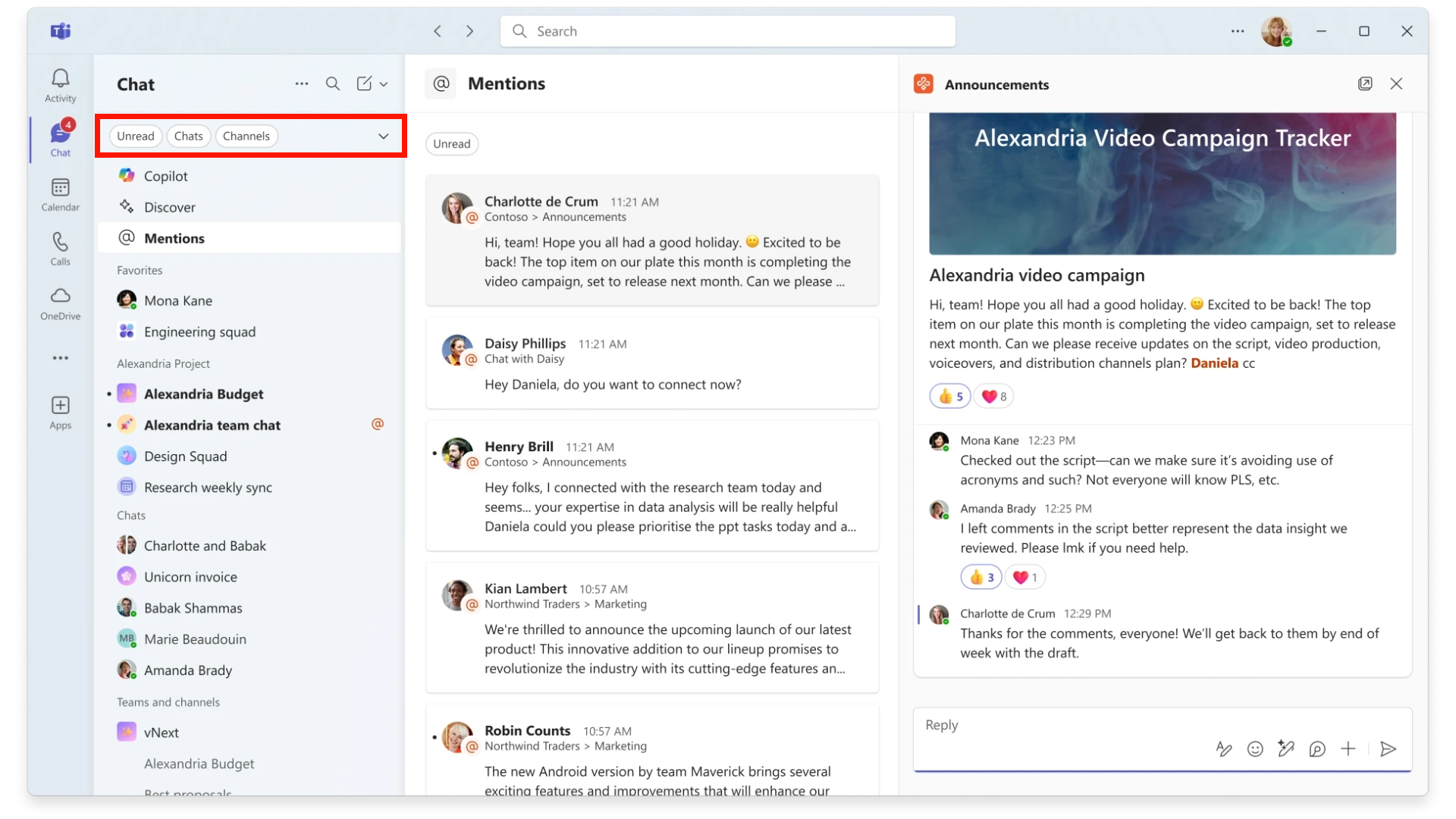
New filters for Unread, Chat, Channels, Meetings and more will become available:
Mentions View
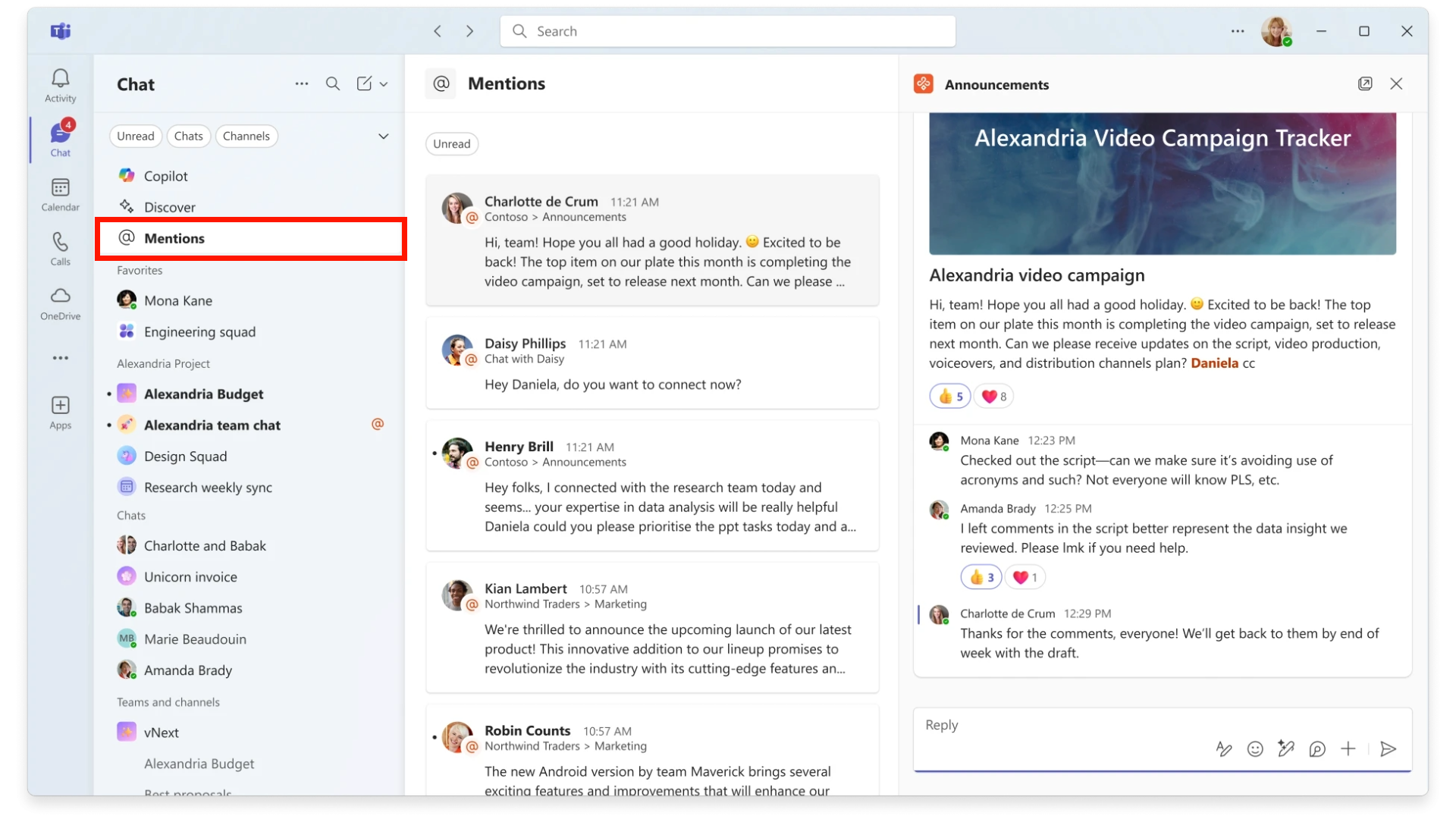
The new @mention view consolidates all personal @mentions into a single list, enabling users to quickly access messages from chats, channels, and meetings:
Customize Settings
Users can customize their chat and channels experience in Teams’ Settings. Users may retain the default combined Chat view or revert to the separate Chat and Teams views:

In the combined Chat view, message previews are disabled by default to streamline the list. Users may enable previews in Settings.
In the separate Chat and Teams views, users can continue to use the new filters and the @mentions view to triage and organize conversations using custom sections.