Please see the following scheduled Microsoft change:
Date: June 2026 (An exact date for WSU’s Microsoft environment is not available.)
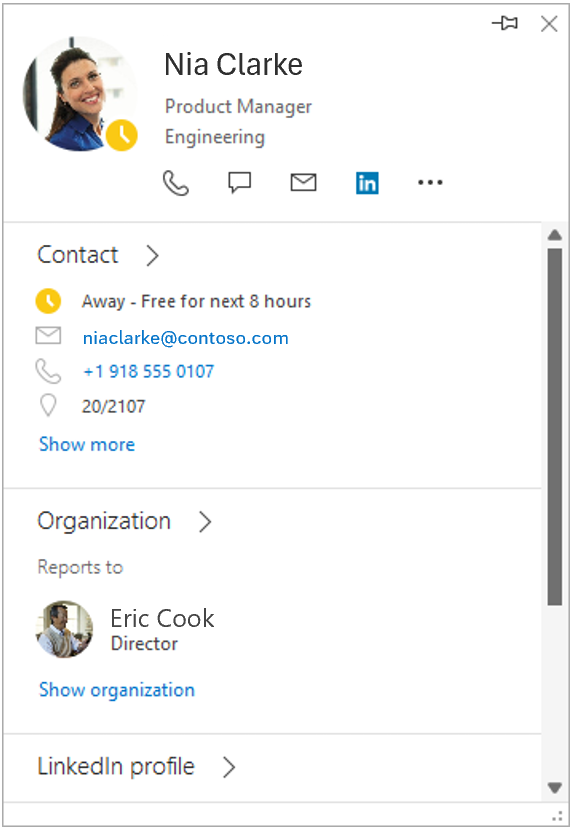
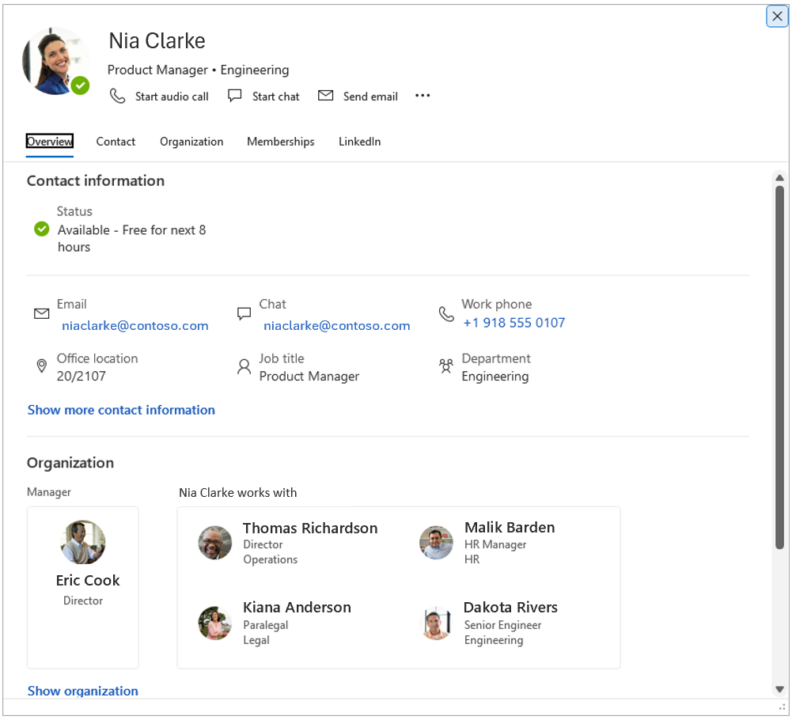
The following work is being completed: Microsoft is retiring the people card expanded view in Classic Outlook. After this change, only the standard contact card view will be available when accessing contact information in Classic Outlook. Review visual examples comparing the expanded and standard contact card views in Outlook.
All affected groups: Users who access the people card expanded view in Classic Outlook
All affected processes:
- Users currently open the expanded view in Classic Outlook by right-clicking an email recipient and selecting Open contact card, or by double-clicking an email recipient. These actions will now display the standard contact card instead of the expanded view.
- The standard contact card experience already exists in other Office applications and in other Outlook configurations.
- The standard contact card does not include the following features that were available in the expanded view:
- Local time
- “Works with” section in the organization chart
- Profile photo change entry point (accessible from Outlook by selecting File, then clicking the Change link under your photo)
Duration of impact: This is a permanent, Microsoft-driven change.
Necessary follow-up steps: Users who rely on these features can use Outlook on the web or New Outlook.
Questions? Please contact Crimson Service Desk at crimsonservicedesk@wsu.edu.
Visual Examples
People Card Expanded View
This contact view is scheduled for retirement in Classic Outlook:
Standard Contact Card View
This contact view will be the primary view in Classic Outlook: