Please see the following scheduled Microsoft change:
Date: July 2026 (An exact implementation date is unavailable for WSU’s Microsoft environment.)
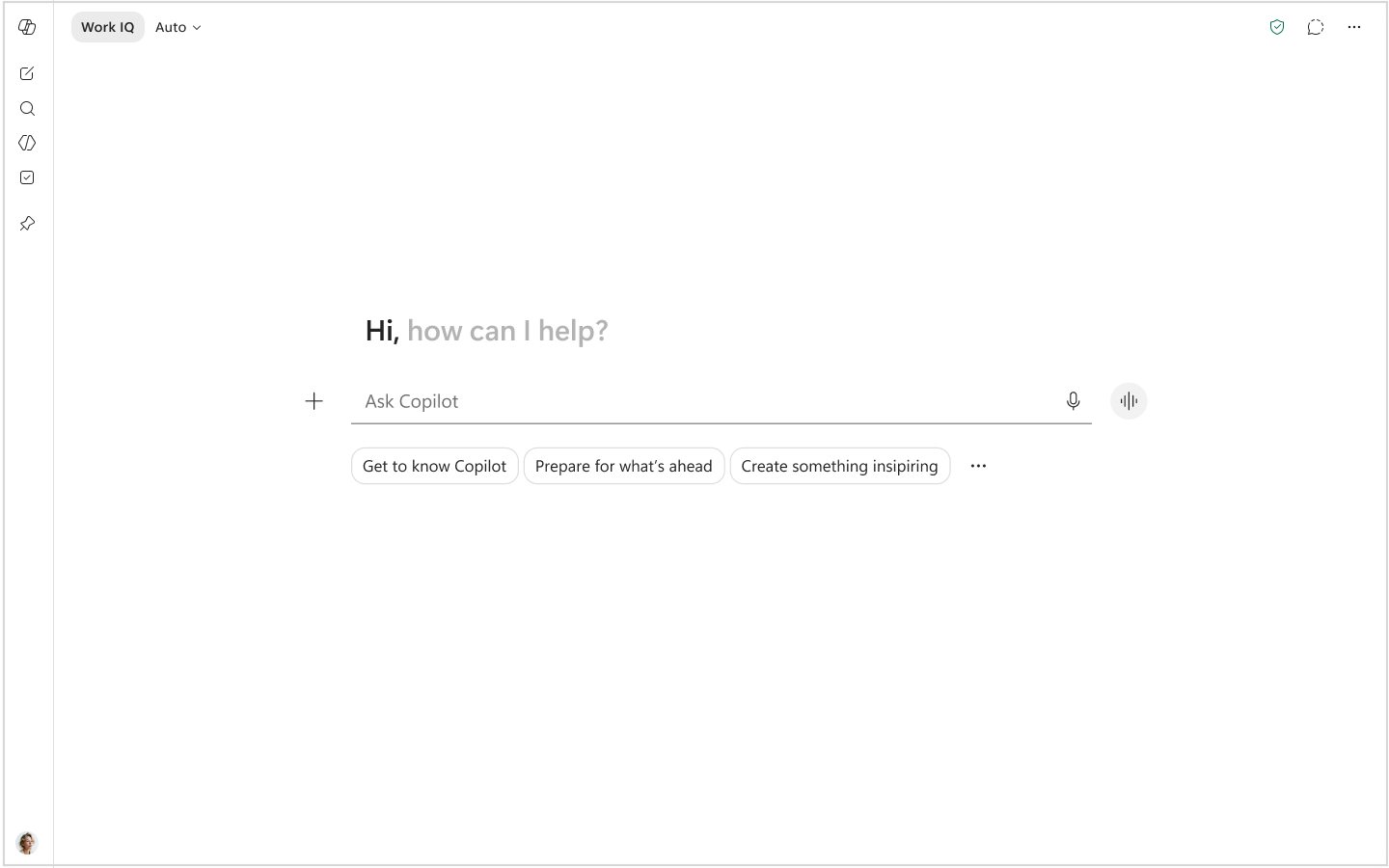
The following work is being completed: Microsoft is updating the Microsoft 365 Copilot app to change the interface, navigation, and chat experience, including adding a Tasks tab and combining existing controls into a Work IQ toggle. Review visual examples of the upcoming Copilot updates.
All affected groups: Users accessing the Microsoft 365 Copilot app on web and desktop, including both Microsoft 365 Copilot (Premium) and Copilot Chat (Basic) tenants
All affected processes:
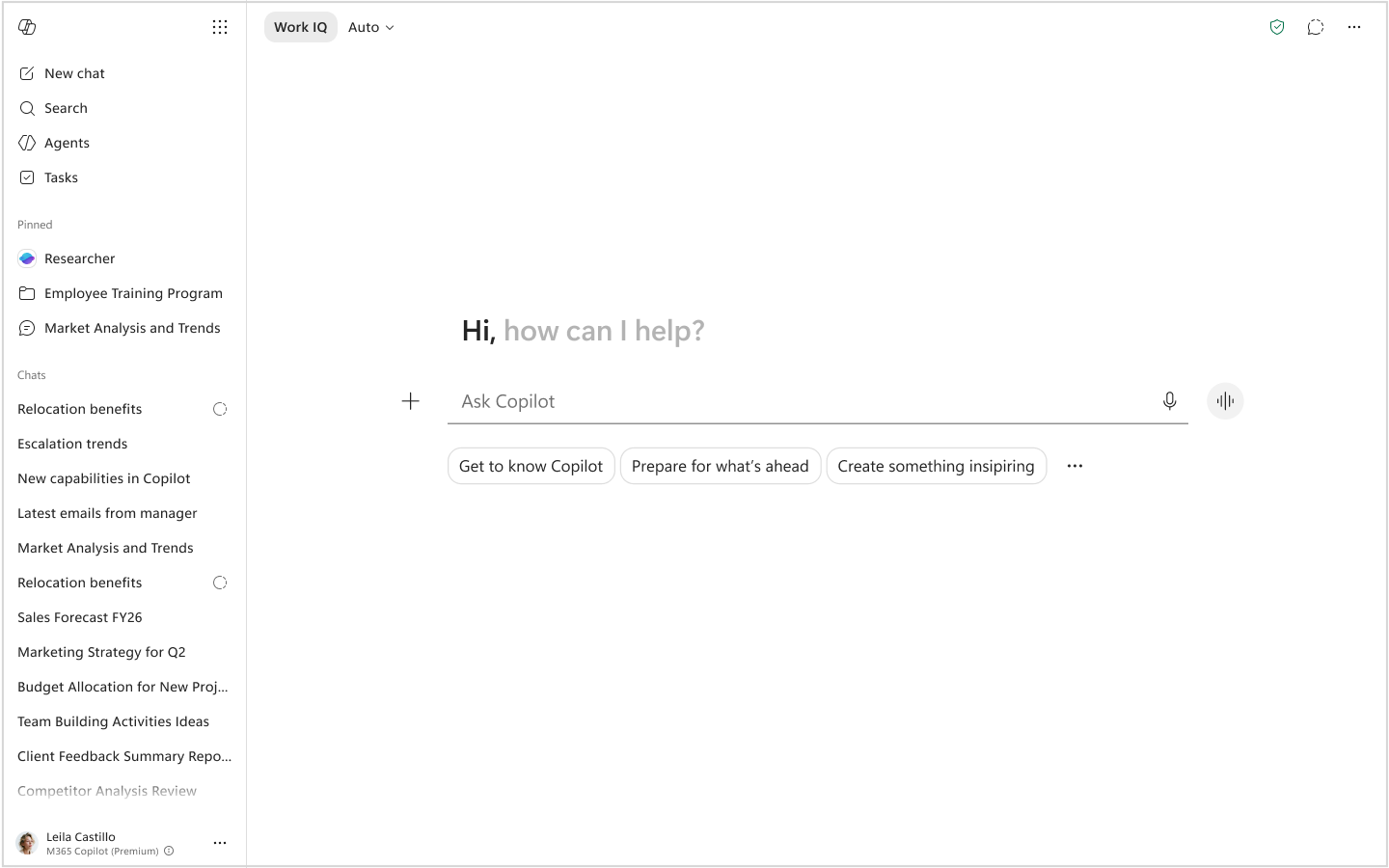
- Navigation Updates
- Navigation pane will add a pinned section for quick access to frequently used agents, apps, and Copilot experiences.
- App launcher will move to the “waffle” menu in the top right of the expanded navigation pane.
- Agents section will change to a flyout menu showing pinned and recent agents, with access to the agent store and builder.
- New Tasks tab will display long-running Copilot activities, including scheduled chats and agent actions.
- Navigation pane will be collapsible.
- Chat Updates
- Work and web grounding controls will be combined into a single “Work IQ” toggle in the chat interface.
- Work IQ will be enabled by default and will combine enterprise and web data, with an option to switch to web-only grounding when turned off.
- When Work IQ is turned off, prompt suggestions and menus will be limited to web-based inputs, and the Sources menu will be disabled.
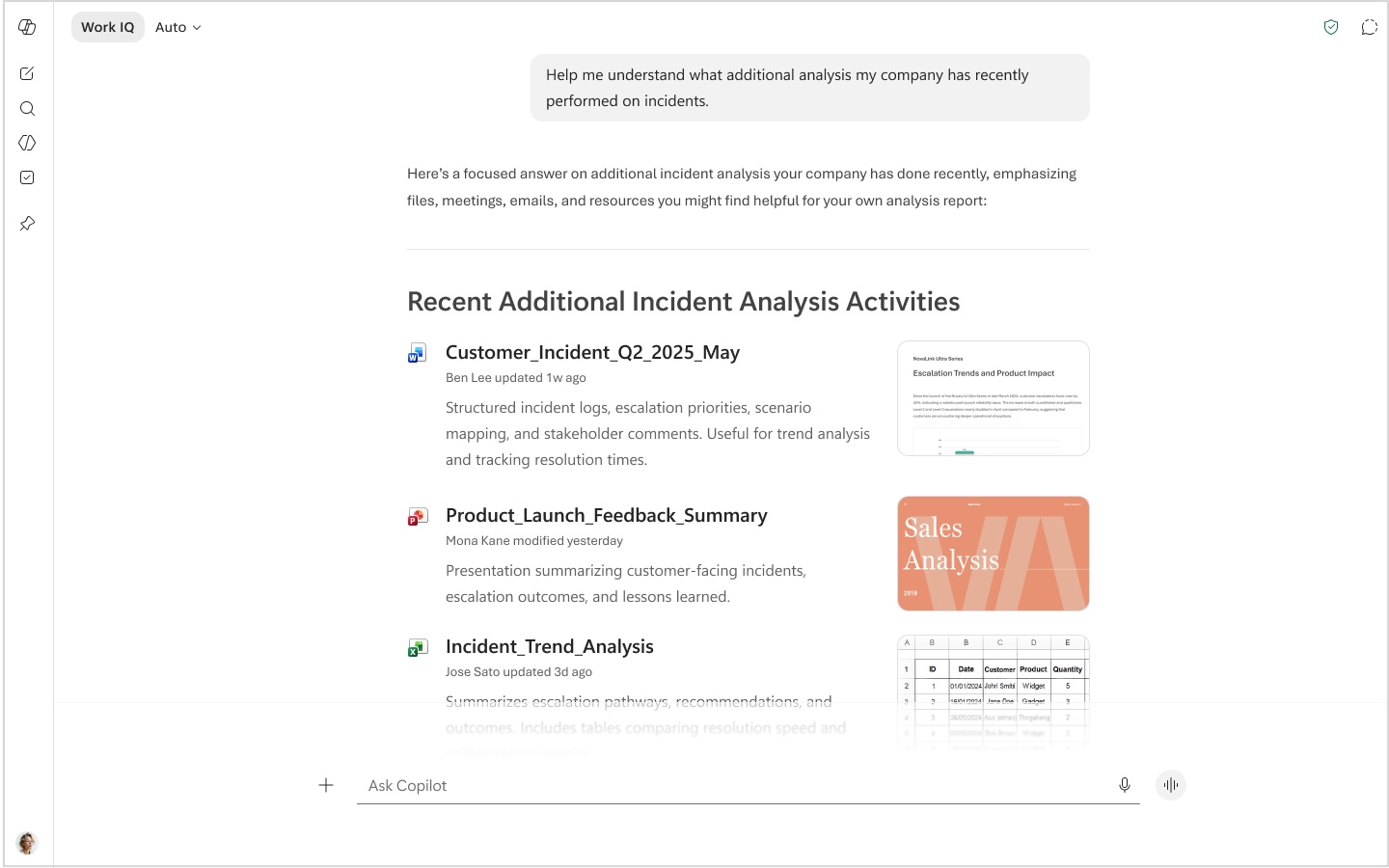
- Chat layout will be simplified with improved formatting support, updated prompt suggestions, and a new content menu.
- Chat responses will be reformatted to make information, citations, and suggested actions easier to scan.
- Agent Updates
- Agent home screen will display details about the agent’s origin, including the creator’s profile and organization name.
- Agent chat input will include the agent’s name to clearly indicate that the interaction is with a specific agent.
Duration of impact: This is a permanent, Microsoft-driven change.
Necessary follow-up steps: None
Questions? Please contact Crimson Service Desk at crimsonservicedesk@wsu.edu or 509-335-4357.
Visual Examples
The following image captures the new Microsoft 365 Copilot app home screen view:
The following image captures the new Microsoft 365 Copilot app home screen with expanded navigation view:
The following image captures the new Chat response in the Copilot app view: