Please see the following scheduled Microsoft change:
Date: Between May and mid-July 2026 (An exact date for WSU’s Microsoft environment is not available.)
The following work is being completed: Microsoft is introducing a new SharePoint experience that includes a new SharePoint app bar, SharePoint start page, and support for AI-assisted features. Review visual examples of the new SharePoint experience.
All affected groups: Users accessing SharePoint
All affected processes:
- Users with a paid Microsoft 365 Copilot license will have access to AI‑powered capabilities within the new SharePoint experience.
- Users will see an updated SharePoint app bar that includes:
- OneDrive Access: Direct access to files.
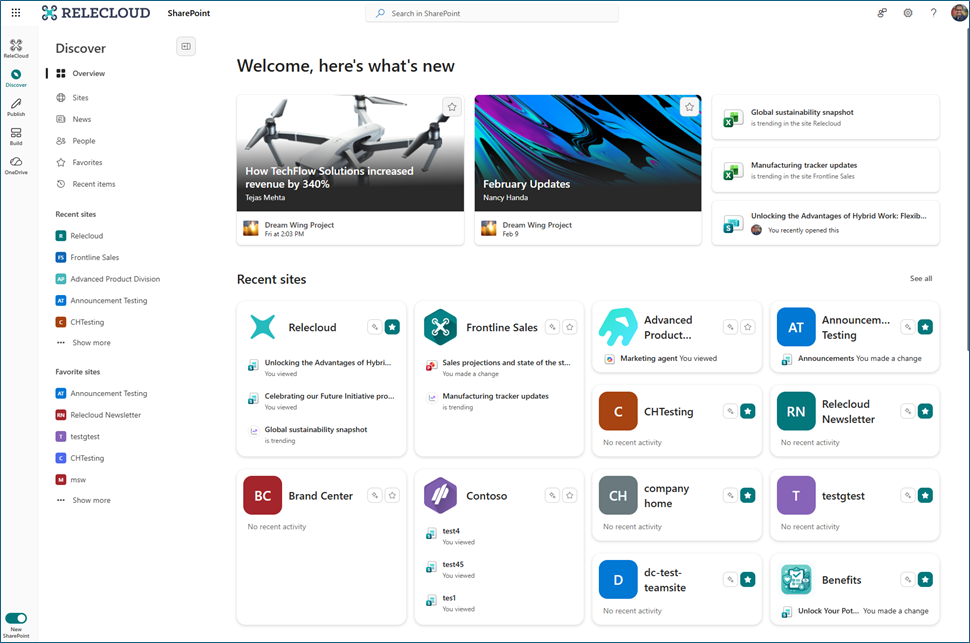
- Discover Option: Start experience for finding sites, content, and news.
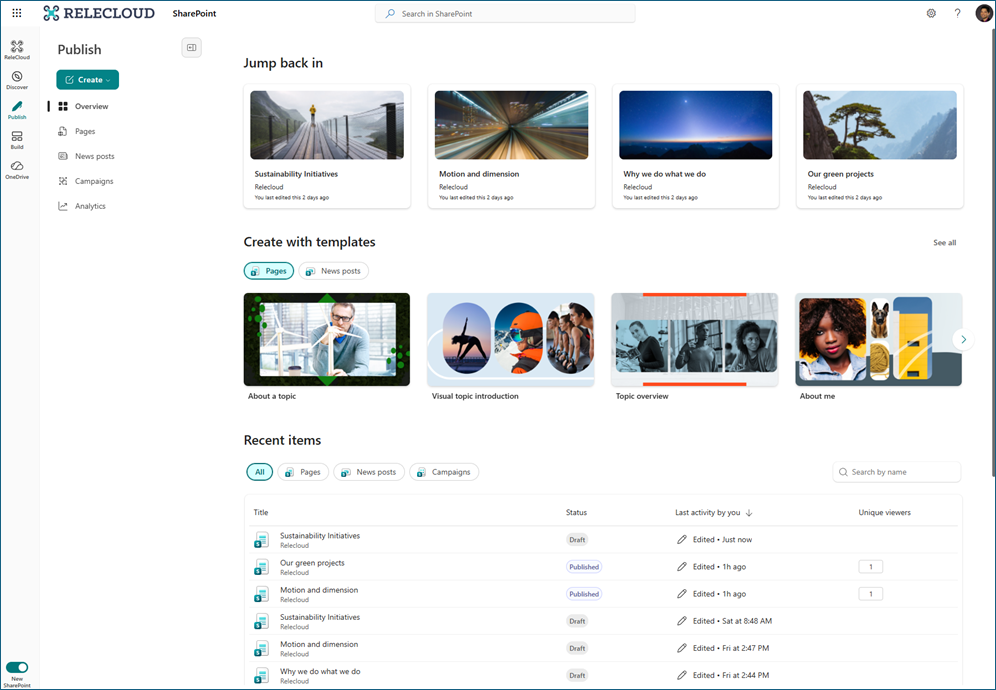
- Publish Option: Hub that unifies pages, news posts, and campaign-style communications.
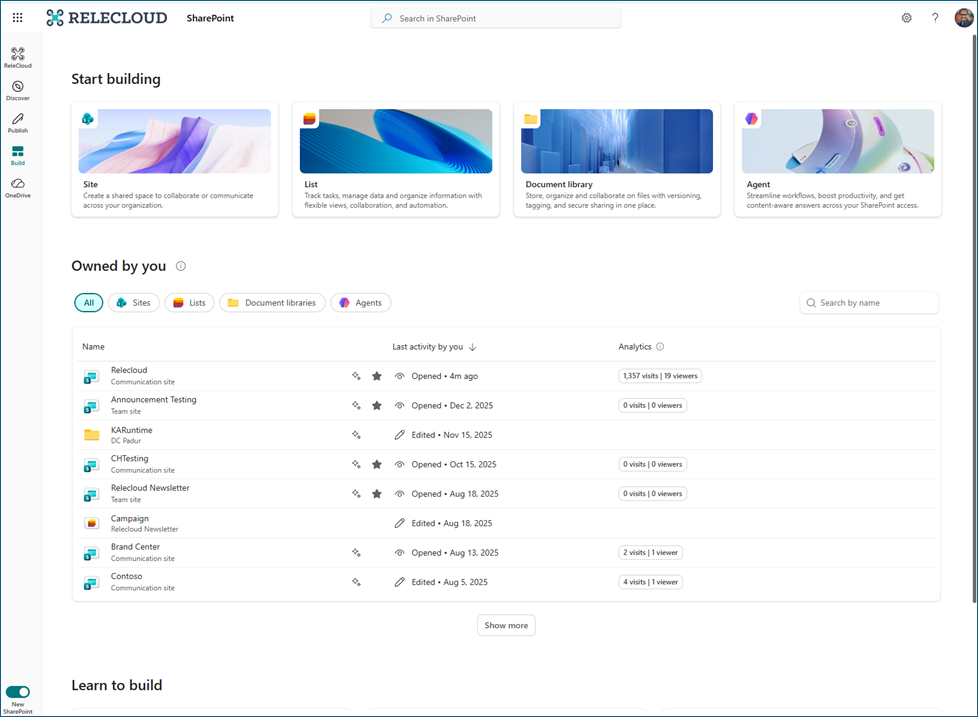
- Build Option: Centralized location for creating and managing sites, lists, libraries, and AI-powered agents (where available).
- Users will also see updated page, news, library, and list experiences with improved content visibility, along with neutral theming applied across SharePoint product surfaces.
Duration of impact: This is a permanent, Microsoft-driven change.
Necessary follow-up steps: None
Questions? Please contact Crimson Service Desk at crimsonservicedesk@wsu.edu or 509-335-4357.
Visual Examples
Learn more about the new SharePoint app bar.
The new SharePoint experience will introduce the following changes to the SharePoint app bar:
Discover: A refreshed start experience to find relevant sites, content, and news.
Publish: A unified publishing hub that brings together pages, news, and campaign-style communications.
Build: A centralized place where makers can create and manage SharePoint sites, lists, libraries, and AI-powered agents from a single surface.