Recently, email notifications were sent to owners of inactive Microsoft Teams, Microsoft 365 Groups, and SharePoint sites at Washington State University.
Examples of the messaging included in these email notifications are below:
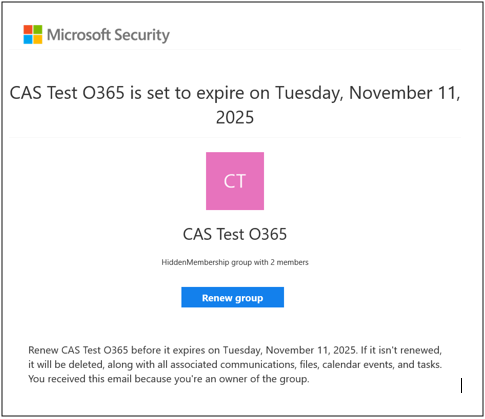
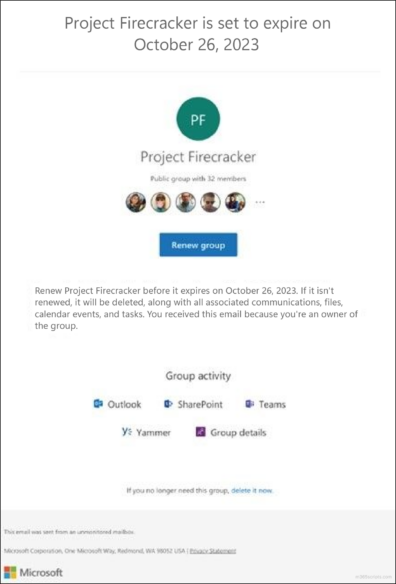
If you received an expiration email and no longer require the Microsoft Team, Microsoft 365 Group, or SharePoint site, please ensure it is proactively deleted. You can review instructions for deleting select Microsoft resources or forward the expiration email to crimsonservicedesk@wsu.edu to request deletion.
If an expiring Microsoft Team, Microsoft 365 Group, or SharePoint site is not renewed, it will be permanently deleted, including all associated content. Please review instructions for preserving expiring Microsoft resources.
If you have not received an expiration email, no action is required. This means either you are not listed as an owner of an expiring Microsoft Team, Group, or SharePoint site, or your resources are not scheduled for expiration.
New Expiration Process
Effective immediately, Microsoft Teams, Microsoft 365 Groups, and SharePoint sites at WSU that have been inactive for 18 months or longer will begin to automatically expire.
Owners of inactive Microsoft Teams, Microsoft 365 Groups, and SharePoint sites will receive email notifications 30, 15, and 1 day(s) ahead of scheduled expiration dates.
Beginning Nov. 11, 2025, Microsoft Teams, Microsoft 365 Groups, and SharePoint sites that remain inactive will be removed from access and held for 90 days. After 90 days, all content will be permanently deleted, including files, messages, dashboards, and associated data in Outlook, Teams, SharePoint, and Power BI.
Information Technology Services (ITS) will continuously monitor activity, identify inactive resources, and remove access on an ongoing daily basis beyond Nov. 11.
Why WSU is Making This Change
This new process addresses increasing storage demands within WSU’s Microsoft 365 environment. By automatically identifying and retiring inactive resources, WSU can improve storage management and preserve access to current resources. It also preserves content associated with annual or seasonal academic and administrative activities.
Learn More
Please review Frequently Asked Questions to learn more about this new process.
Contact Us
For any questions or technical support, please contact Crimson Service Desk at crimsonservicedesk@wsu.edu or 509-335-4357.